By default the gate runs on every page of your storefront. The allowlist carves out exceptions: paths that show your normal store without asking anything.
It is on both plans.
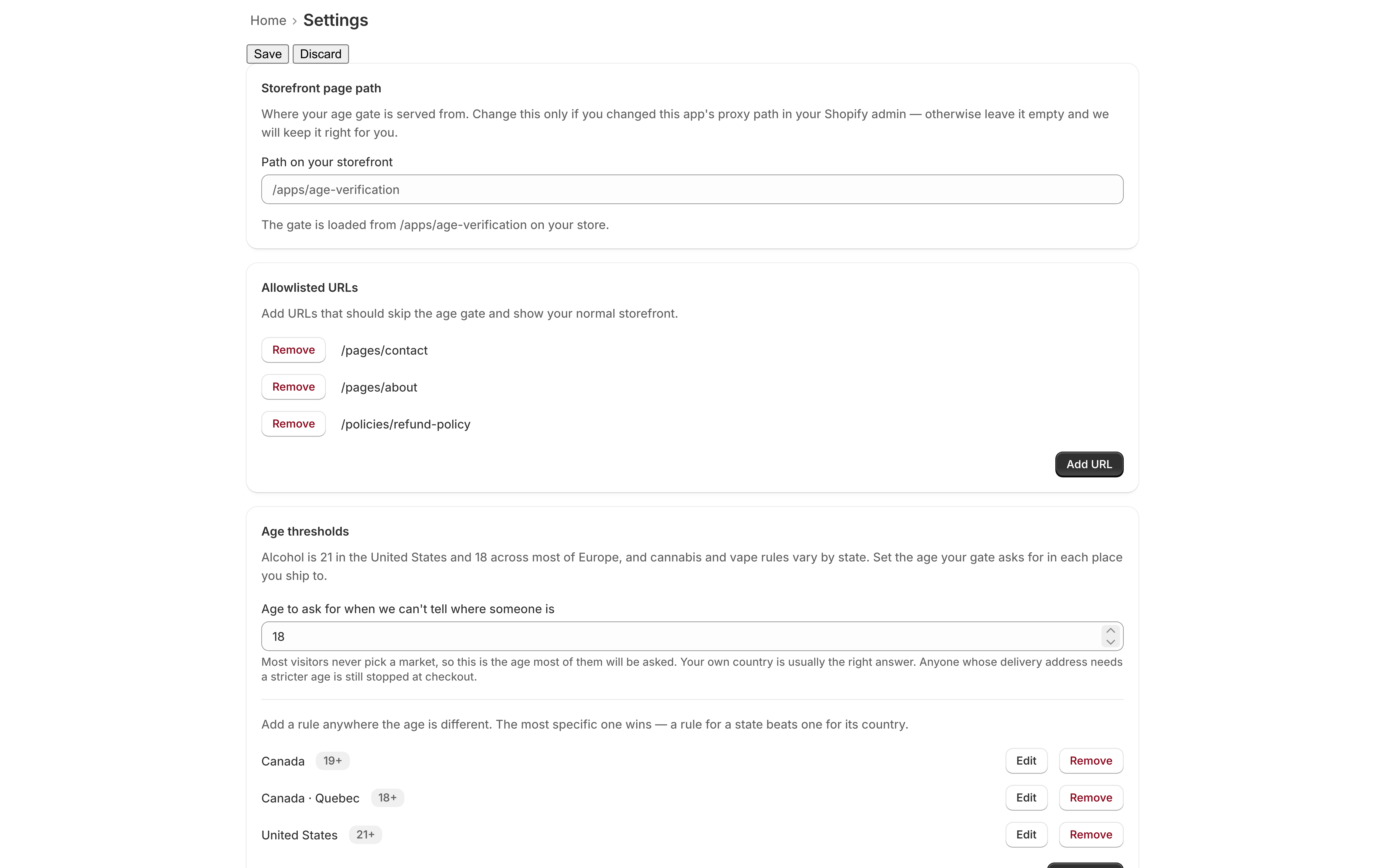
Typical uses:
- A support or contact page, so somebody who cannot get past the gate can still reach you
- A shipping, returns, or privacy policy page
- An “about us” or press page with nothing age-restricted on it
- A landing page for a product range that is not age-restricted at all
Add a path
- Open the app in your Shopify admin and go to Settings.
- Find the Allowlisted URLs card and click Add URL.
- In the dialog, type the path into the URL Path field.
- Click Add URL.
Paths appear in a list on the card, each with a Remove button.
What to type
Enter the path only — the part after your domain — starting with a slash. A value that
does not start with / is refused with “Enter a path that starts with / — for example
/collections/special”.
| Type this | Not this |
|---|---|
/pages/contact |
https://your-store.com/pages/contact |
/policies/refund-policy |
your-store.myshopify.com/policies/refund-policy |
/pages/about |
pages/about |
https:// or your store's hostname will not match anything, because the app compares against the path a visitor requested rather than the full URL. This is the most common mistake with the allowlist.
Exact paths, and everything beneath
An entry matches that exact path and nothing else, unless you end it with /*:
| Entry | Lets through |
|---|---|
/pages/contact |
that one page |
/pages/* |
every page under /pages/ |
/policies/* |
all of your store policy pages |
So start specific, and add the /* deliberately. /pages/* opens every page you have,
including ones you add later without thinking about this list.
What an allowlisted path does not do
On the Standard plan, it does not exempt anybody from checkout. The checkout rule is separate from the gate and knows nothing about your allowlist: a visitor who only ever saw allowlisted pages has answered nothing, so their cart carries nothing, so their order is blocked. See Checkout enforcement.
That is usually what you want. On the Free plan there is no checkout rule, so nothing stands behind the allowlist at all. Either way, it makes one mistake expensive:
/products/*,
/collections/*, /cart. A shopper who browses, adds to cart, and
goes to check out will never have been asked anything. On Standard they will be stopped at
checkout with your store apparently working fine up to that point; on Free they will simply
buy. Allowlist the pages people read, not the pages people buy from.
Assets and scripts
You do not need to allowlist images, stylesheets, or scripts your storefront loads. The gate runs on storefront pages; those files are served from Shopify’s CDN and are never touched.
Removing a path
Click Remove next to it and confirm. The change takes effect immediately — the next visitor to that path is asked again like everybody else.
Removing a path is never blocked, whatever plan you are on.