When a visitor passes your gate, the app gives them a pass, and their browser keeps it so they are not asked again on the next page. The same pass is what their cart carries to checkout, and, on the Standard plan, what the checkout rule compares against.
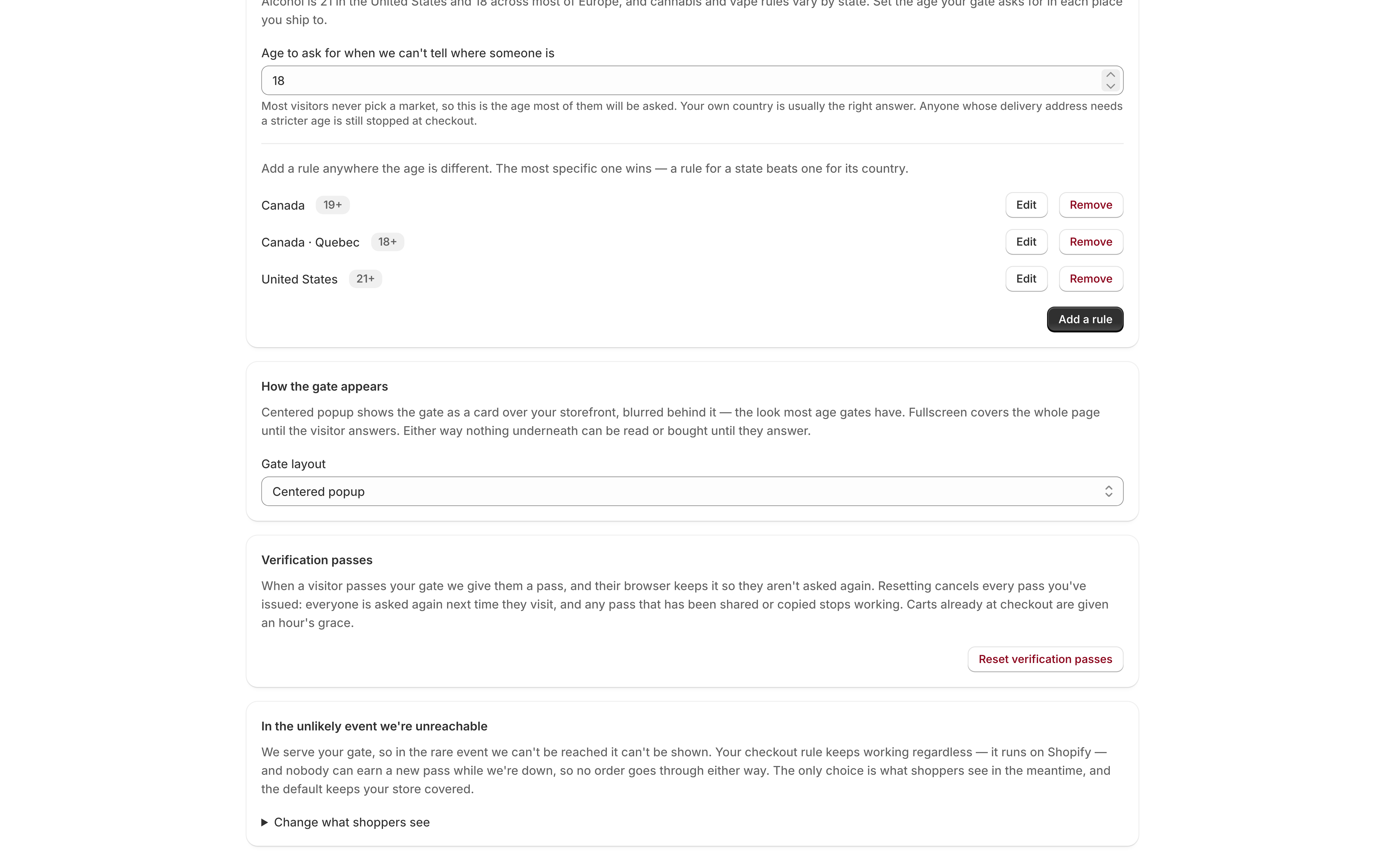
Settings → Verification passes has one button: Reset verification passes.
What resetting does
It cancels every pass your store has issued. Specifically:
- Everyone who has already answered your gate is asked again the next time they visit.
- Any pass that has been shared or copied stops working.
- Carts already at checkout are given an hour’s grace, so a shopper who is mid-purchase when you press the button is not bounced.
It is one-way. There is no undo, and there is no way to cancel one person’s pass rather than all of them.
The button asks you to confirm first, and the dialog says the same thing:
Everyone who has already answered your gate will be asked again the next time they visit. This can’t be undone, and it’s only worth doing if a pass has ended up somewhere it shouldn’t.
When to use it
One case: a pass has ended up somewhere it should not be.
A pass rides on the cart and travels with the order, which means it reaches your order exports, your fulfillment provider, and any other app on your store that can read orders. None of that is a problem in itself — it is a value handed to every visitor who answers the gate, not a credential — but if one turns up somewhere public, or somewhere you would rather it had not, resetting is what makes it worthless.
The clue that this has happened is usually the Age verified note on your orders: the same reference appearing on orders that should have nothing to do with each other. See Checkout enforcement.
When not to use it
It is not routine hygiene, and there is nothing to do on a schedule. Re-asking every returning customer is a real cost, paid by people who did nothing wrong and are not in the room when you press the button. That cost is worth paying on the rare occasion there is something to invalidate, and not otherwise.
It is not how you change the ages you enforce. Raising an age already re-asks the visitors it affects, on its own — see Age rules by country and state.
It is not how you turn the gate off. That is the checkbox on Home, and it leaves everybody’s pass intact for when you turn it back on — see Turning the gate on and off.
What happens next
Your storefront and your checkout stay in step through it. The moment a pass is canceled, the storefront stops treating it as an answer and shows the gate again, so the visitor gets a fresh one by answering — they are never left holding a pass your checkout refuses with no way to earn a better one.
Nothing else changes. Your designs, ages, layout, and allowlist are untouched.